One call, one undo step
Code that fails leaves nothing behind. Whatever Claude did, Ctrl+Z takes it back in one go.
Claude × FreeCAD
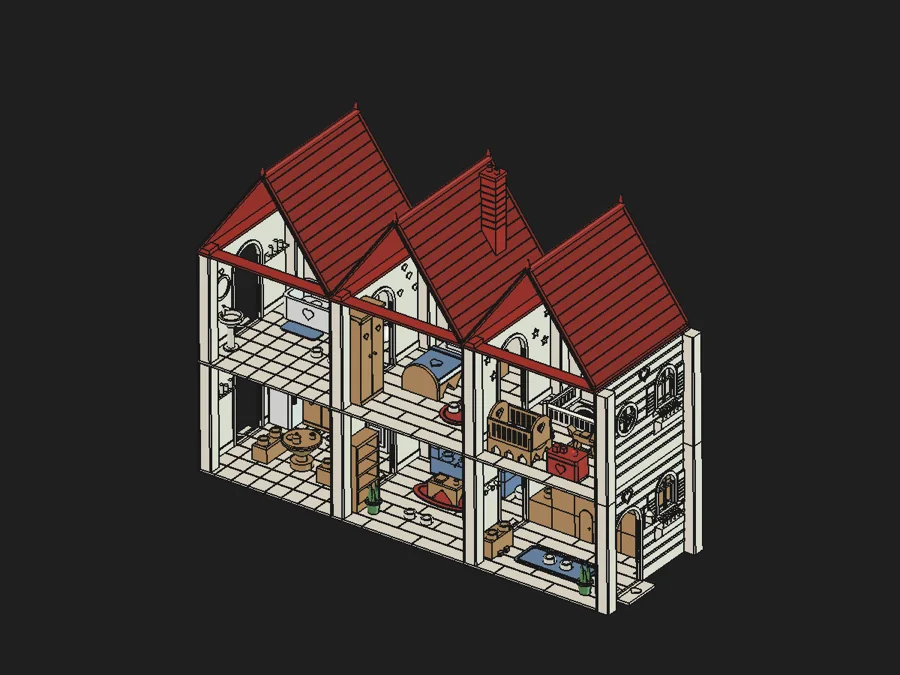
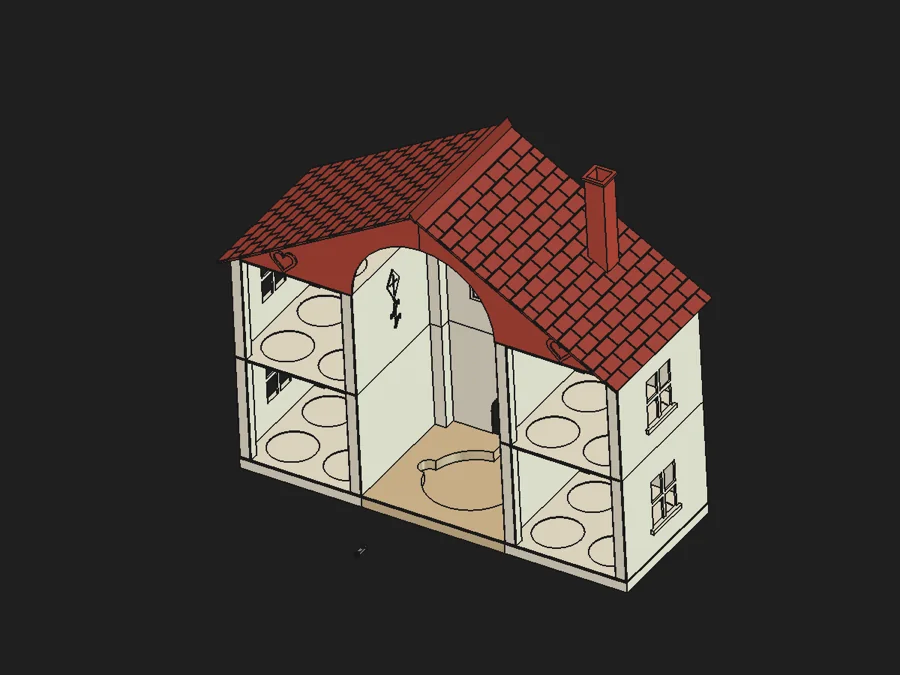
Describe what you want to Claude in a chat panel inside FreeCAD, or from Claude Code. Claude builds it in your open document, checks walls, overhangs and fits, and exports print-ready files. Toys, storage, dollhouses, figures, scale models and spare parts. Every step is exactly one undo step.
01 How it works
Nothing is rendered somewhere else. Claude sends Python to the FreeCAD you have open, so you see every change as it happens, and you can click, undo and take over at any time.
Type into the Claude panel in FreeCAD, or just ask in Claude Code. Your selection and active document travel along, so "make this face 2 mm thicker" works.
A small MCP server with 29 tools, first of all run_python. It also carries a skill with tested FreeCAD 1.1 patterns for Part, PartDesign, Sketcher, Assembly and TechDraw.
uvxRuns inside FreeCAD. Code executes in the GUI thread as one undo transaction. If it fails, it is rolled back, and the journal knows which edits were yours and which were Claude's.
02 Made by chat
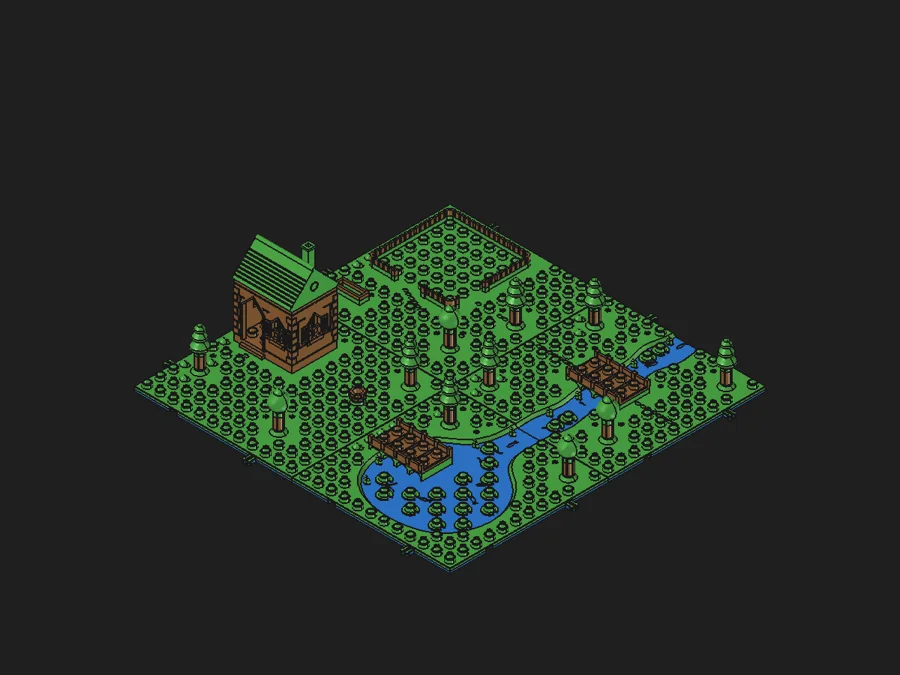
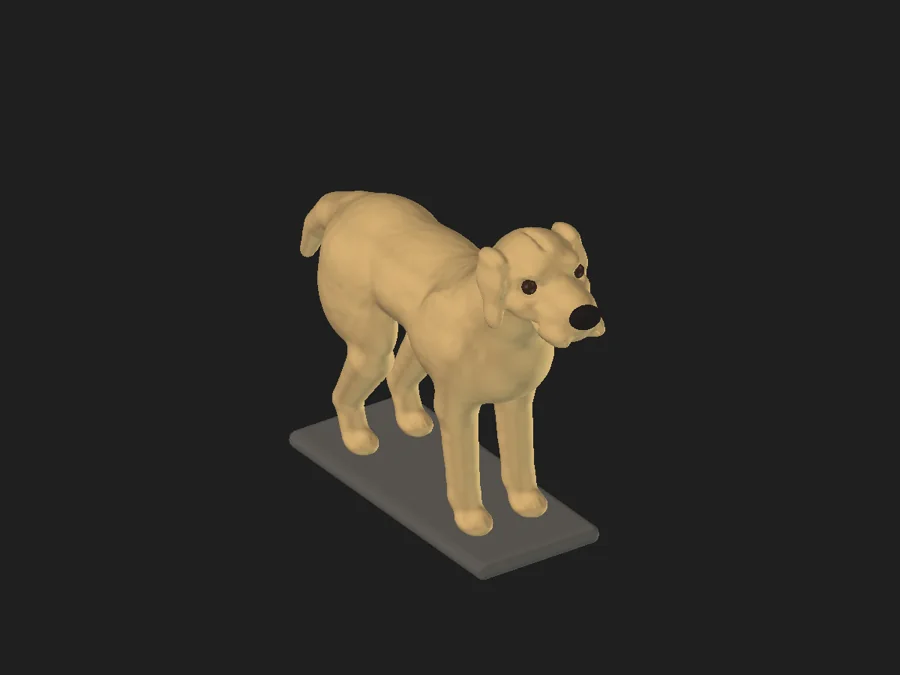
Each of these was built by Claude in FreeCAD from a short description in the chat panel. The pictures are renders of the real files.
03 Real screens
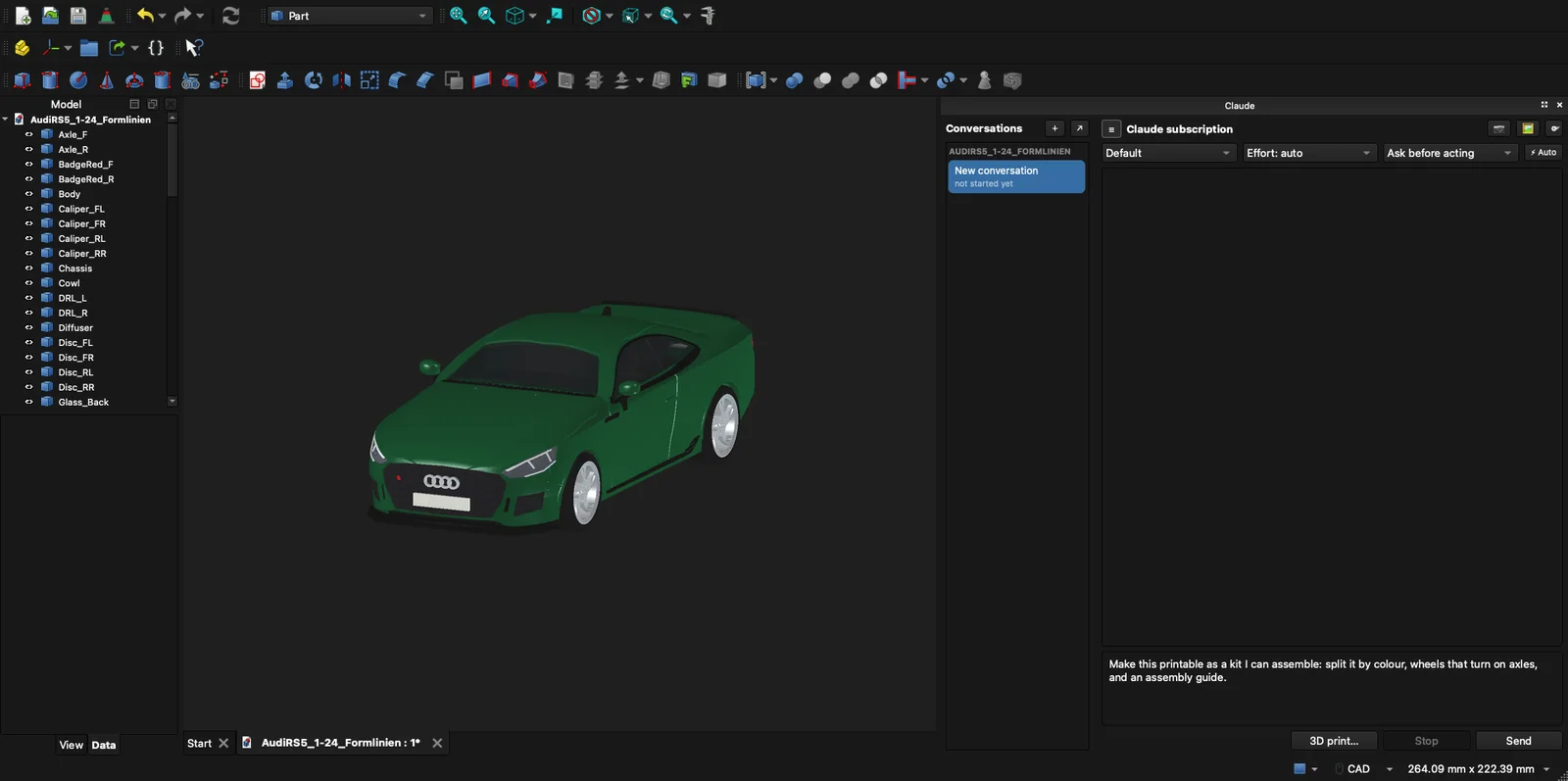
These are screenshots of FreeCAD 1.1 on macOS, not mock-ups. The model in the first picture is an Audi RS5 at 1:24 with 68 parts, built by Claude from photos.
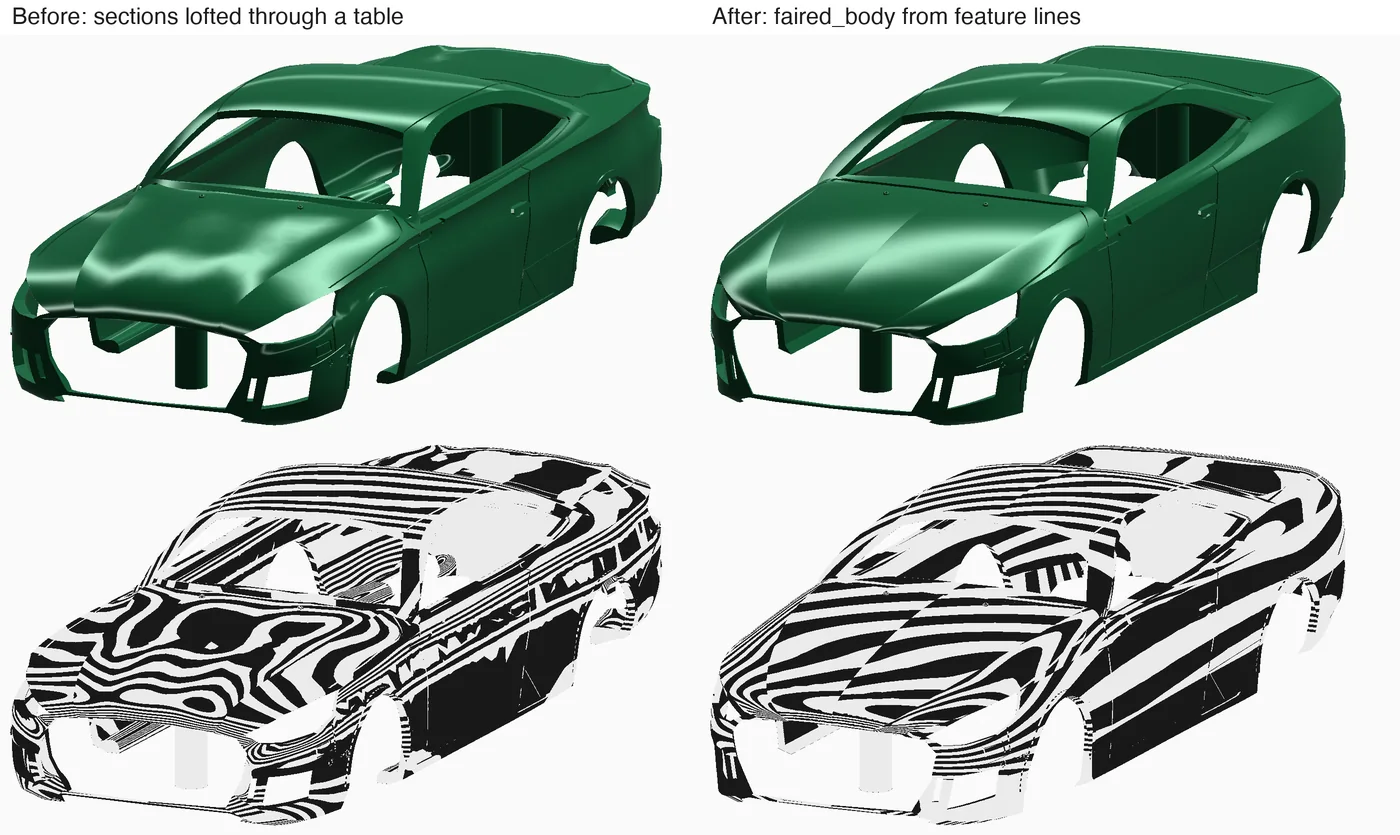
faired_body builds car and boat bodies from a few feature lines, and check_surface shows reflection stripes. Left: lofted through a table of points. Right: faired. Calm stripes mean a fair surface.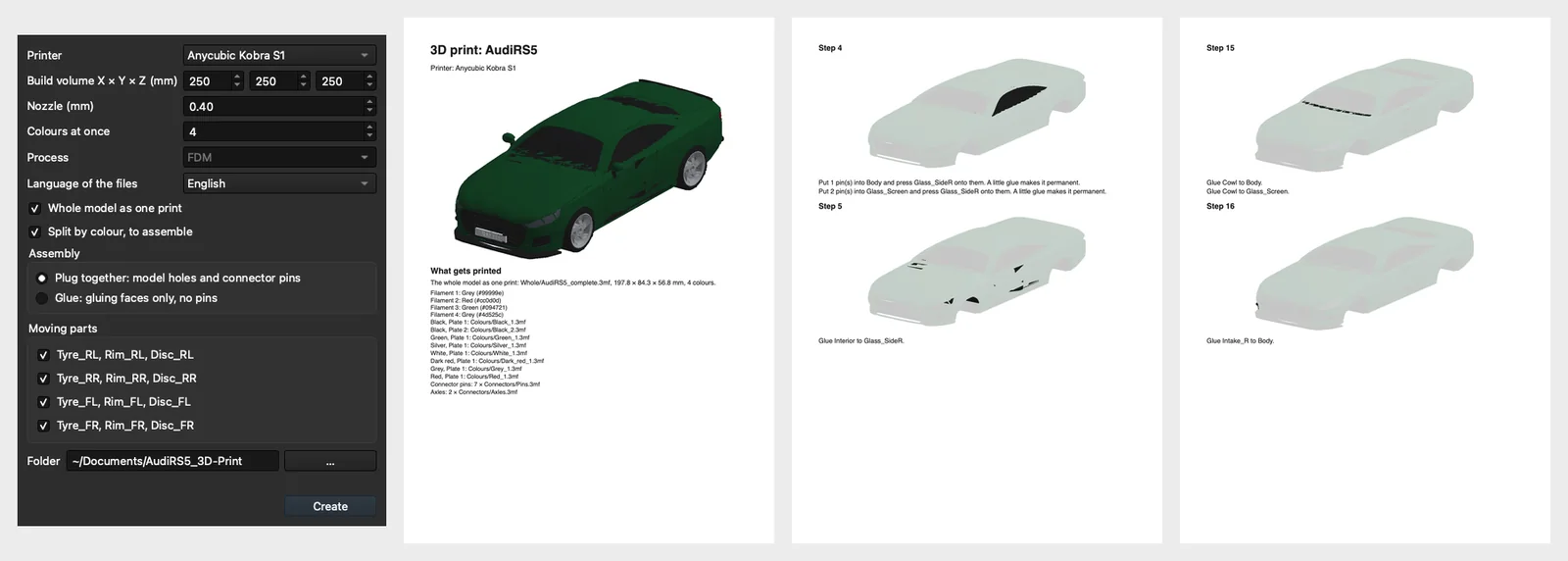
04 Features
Claude checks its own work against numbers, builds from tested parts and learns what you like.
Code that fails leaves nothing behind. Whatever Claude did, Ctrl+Z takes it back in one go.
Attach a photo or give a file path: a keychain from a logo, a vase revolved from its silhouette, a relief plaque from a photo. All of it runs locally.
make_part builds gears, springs, threads, bolts and nuts to ISO sizes, hinges, boxes, brackets, knobs, and also wheels, lamps and grille patterns. Sizes that cannot work are refused, with the reason.
check_all measures sizes, holes, fits, walls, overhangs and stability on a saved copy, problems first. Every failed check says what it found.
One button writes a coloured 3MF and STL, axles for parts that turn, connector pins only where needed, and a PDF assembly guide.
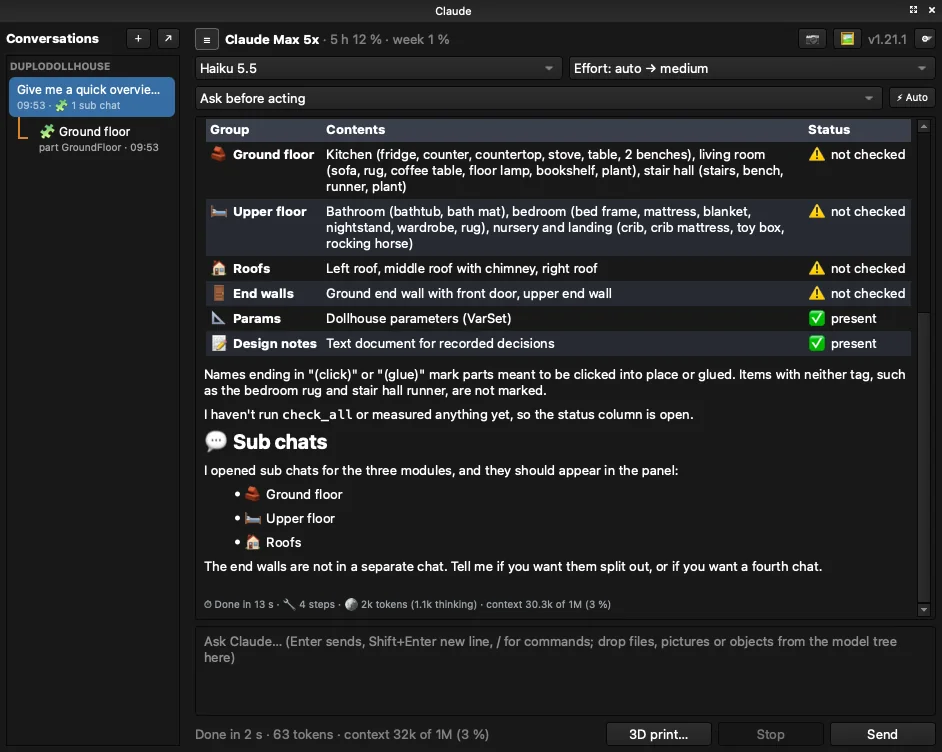
A model in parts gets a chat per part: "open sub chats for the roof and the ground floor". Each starts with the main chat's history and changes only its part.
sculpt blends primitives like clay: people, animals and rocks, with hair as locks and poses such as a raised arm, as one watertight mesh for printing.
After a model the panel asks for a thumbs up or down. What you say becomes short lessons that every new session follows. You can read, edit or forget them.
run_headless starts a separate freecadcmd, so FreeCAD stays responsive. Even a long run_python script keeps the window redrawing.
Each model gets <Name>/ with the file, exports/, print/ and references/. A bare file name in an export lands there.
The panel checks once a day for a newer version and offers Update now. The addon itself makes no network requests.
After each answer, "New files" lists every export and save of that turn. One click opens a file, another shows it in the folder.
05 Tool list
In Claude Code they are named mcp__plugin_freecad_freecad__<tool>. A selection:
Tested builders first, free code second.
Run on a saved copy, so the document stays as it is.
One undo step per call, rolled back on errors.
Allow all of them with mcp__plugin_freecad_freecad__* in permissions.allow. Screws, nuts and fits follow ISO sizes. Note that run_python runs arbitrary code in FreeCAD. Full list in the README.
06 Install
The setup opens a window with a checklist. A missing item gets a Download button, and nothing is changed until everything is there. Run it again any time to update or repair.
$ curl -fsSL https://raw.githubusercontent.com/Scharmen/FreeCadClaudeBridge/main/install.sh | sh
> irm https://raw.githubusercontent.com/Scharmen/FreeCadClaudeBridge/main/install.ps1 | iex
Prefer a double-click? The repository has an installer for macOS and Windows. Developers can install the plugin by hand with /plugin install freecad --marketplace Scharmen/FreeCadClaudeBridge and run /freecad:setup.
freecad plugin goes into Claude, the Claude panel into FreeCAD, and it offers to start FreeCAD.07 Safety and tests
CI runs the tests on Linux, macOS and Windows against FreeCAD 1.1.4, including the GUI on Linux.
The addon listens only locally: a Unix socket with permissions 0600, or TCP on 127.0.0.1 on Windows. Both sides prove themselves with a 32-byte token. Every call, with its code, goes into an audit log.
run_python runs with your user rights. Claude Code's permission prompts are the second barrier, and in the panel you can allow once, always or deny. Treat FCStd files from unknown sources like code.